002 / Hardware
XOXO Studio
A portable studio on a Raspberry Pi with a 3.5" touchscreen. XO-4, a four-track groovebox with a 4×4 sampler and two FM synths; two DJ decks; a mixer, a recorder and MIDI routing. Made for your USB and Bluetooth MIDI gear and USB sound sources.
- Computer
- Raspberry Pi 3 B+
- Screen
- 3.5" SPI touchscreen, 480×320 (ILI9486, XPT2046 touch)
- Power
- USB, or a PiSugar battery
- Groovebox
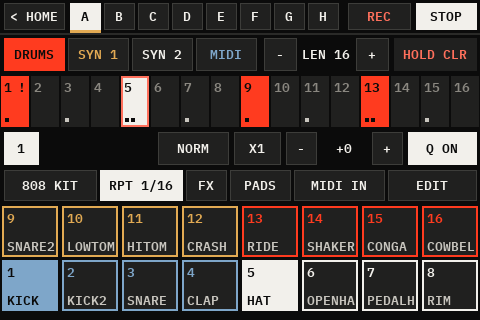
- XO-4, four tracks (DRUMS, SYN 1, SYN 2, MIDI), patterns A–H, up to 64 steps each
- Sampler
- 16 pads, the 808 KIT built in, note repeat, 16 punch-in FX
- Synths
- Two 2-operator FM synths, chords of up to four notes, six starting sounds
- DJ
- Two decks, from a music folder or a USB drive; a Hercules DJControl Inpulse 200 MK2 or MIDI learn
- MIDI
- Bluetooth, USB and network MIDI, routed with channels, transpose, chords and an arpeggiator
- Audio
- A Bluetooth speaker, the 3.5 mm jack, USB sound sources in the mixer
- Plug-ins
- Open to anyone. Python, API 1: sound sources, MIDI devices, screens and the web app
- Software
- XOXO Studio 0.1 beta, GPL-3.0
XOXO Studio is a portable studio you build yourself: a Raspberry Pi 3 B+, the common 3.5” touchscreen and a battery. It replaces the FM-1 Companion Studio: the same box with the FM-1 taken out, so it isn’t tied to one synth. It plays with the USB and Bluetooth MIDI gear and USB sound sources you already have.
Have an FM-1? The FM-1 Companion Pocket links to the Studio over a cable or Wi-Fi: its FM-1 plays out of the Studio’s speaker and the Studio’s clock leads both. An FM-1 plug-in for the Studio itself is experimental, and not part of the 0.1 beta.
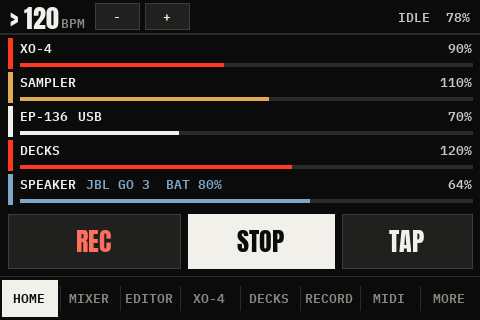
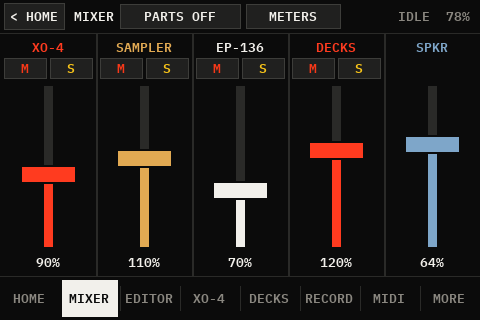
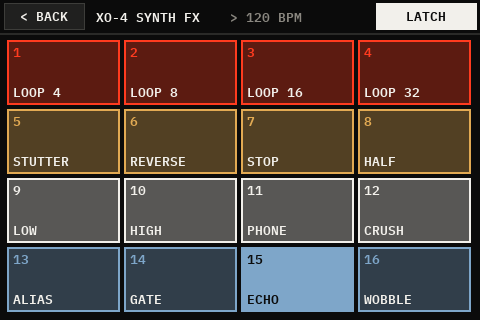
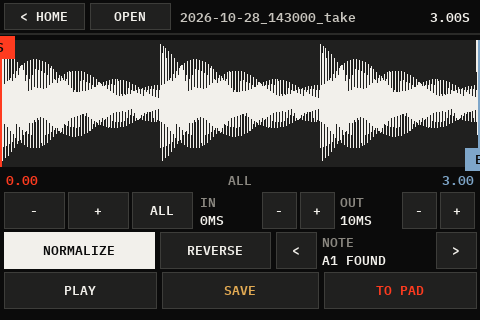
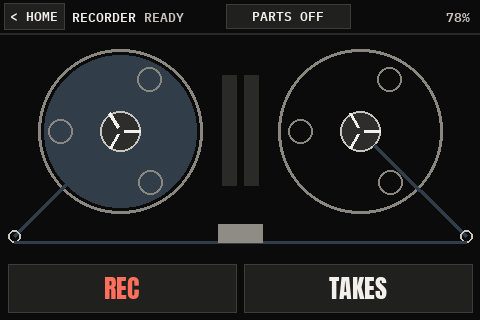
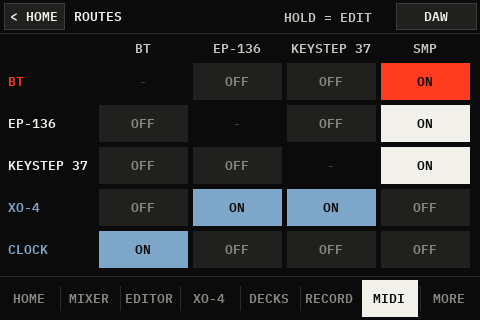
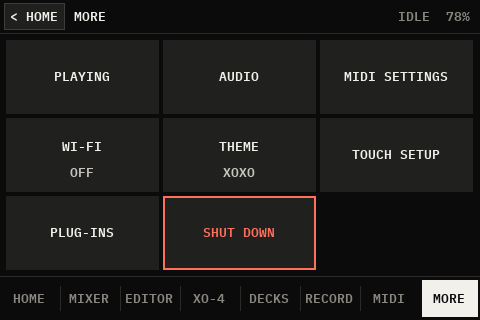
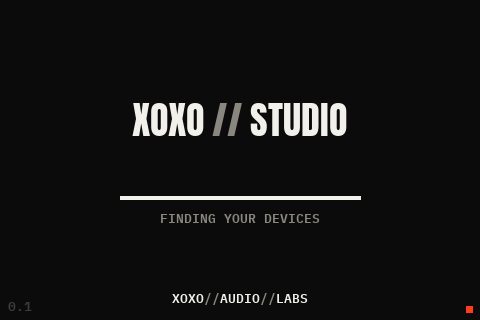
The pictures on this page are the Studio’s screens drawn by its own code on a computer, not photos of the screen.
What’s inside
- XO-4, a groovebox. Four tracks on one beat grid, with patterns A–H that change on the next bar and up to 64
steps a track.
- DRUMS is the 4×4 sampler, with the 808 KIT built in. Each hit has its level and ratchet, plus nudge, live recording and note repeat. PADS opens the 16 pads big, 4×4.
- SYN 1 and SYN 2 are two-operator FM synths with chords of up to four notes, a SOUND page and six starting sounds (KEYS, BASS, BELL, PLUCK, PAD, LEAD).
- MIDI sends its steps out to your gear through the MIDI routes.
- Punch-in FX: 16 on the pads and 16 of XO-4’s own on the synths. Loops, stutter, reverse, tape stop, filters, crush and echo.
- Two DJ decks. Music from the Studio’s music folder or a USB drive, played by touch, from a Hercules DJControl Inpulse 200 MK2, or from another controller with MIDI learn. Each deck has its own FX: ECHO on the beat, REVERB, FLANGER and BRAKE.
- A mixer and a recorder. Every source has its own level and a CUE button for the headphones. RECORD takes the mix, or each source as its own part.
- The sample editor. Trim, fade, normalize and reverse a recording, find its note, and put it straight on a pad.
- MIDI routes between Bluetooth MIDI, each USB MIDI device, network MIDI (a DAW) and the pads, each route with its own channel, transpose, velocity, chord memory and arpeggiator.
- A web app on your phone at
xoxostudio.local. - The XOXO look. The XOXO Audio Labs type, Anton and IBM Plex Mono, and nine themes, XOXO first: black, bone white and a red signal, like this site.
Open to plug-ins
XOXO Studio is built to be added to, by us and by you. A plug-in is a folder with a manifest and a Python file, and it can bring new sound sources and MIDI devices to the mixer and the routes, a screen of its own under MORE › PLUG-INS and its own part of the web app. The API is versioned and kept stable, so a plug-in keeps working as the Studio updates.
Ours so far: Synths (a SoundFont synth, SYNTH A, in the mixer and the routes), Tester Tools (latency, measured) and FM-1 Companion (the FM-1 on the Studio, experimental). Anyone can write one, and we’ll list yours beside them. See the plug-ins, and how to build one →
Tried on the real hardware, and not yet
XOXO Studio is new. Everything here is built and has automated tests, and this is what has also been tried on a real Pi 3 B+ with the touchscreen and a PiSugar battery:
- Tried: a fresh install from the GitHub download, start-up, the screen and touch setup, the battery reading, the web app from a PC, XO-4 on the screen by hand, and XO-4 and the pads both making sound on the Pi (measured by recording them there). XO-4 takes about 30% of one of the Pi’s four cores while it plays, and the pads about 20%.
- Not yet: most of it by ear and by hand. That includes sound out of a Bluetooth speaker or the jack, the mixer and CUE, recording, finger drumming on XO-4’s pads, the sample editor, MIDI over Bluetooth, USB and the network, the DJ decks, and shutting down from the screen.
The current list is in the README.
Build one
Parts: a Raspberry Pi 3 B+, a microSD card (8 GB or more), the common 3.5” 480×320 SPI touchscreen, and a Bluetooth speaker or headphones. A PiSugar battery, USB MIDI gear and a Hercules controller are optional. Flash Raspberry Pi OS Lite, copy the app over and run its installer: the steps are on GitHub.
XOXO Studio is open source (GPL-3.0). Parts of it come from SLOOP (its step sequencer, punch-in FX and look, rewritten in Python), and the 808 KIT is Michael Fischer’s CC0 recordings of a TR-808. Not affiliated with Roland or Hercules.